1 개발환경 세팅
(1) Node.js 설치
Node.js
Node.js® is a JavaScript runtime built on Chrome's V8 JavaScript engine.
nodejs.org
- 설치 확인 및 버전 확인

(2) 트러플 설치
Home - Truffle Suite
TRUFFLE SMART CONTRACTS MADE SWEETER A world class development environment, testing framework and asset pipeline for blockchains using the Ethereum Virtual Machine (EVM), aiming to make life as a developer easier. LEARN MORE GITHUB REPO DOCS Ganache ONE CL
trufflesuite.com

- 버전확인
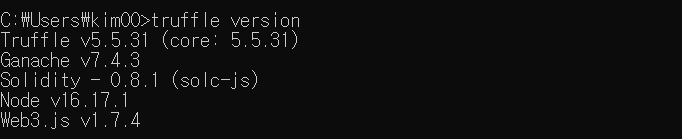
(3) Ganache 설치

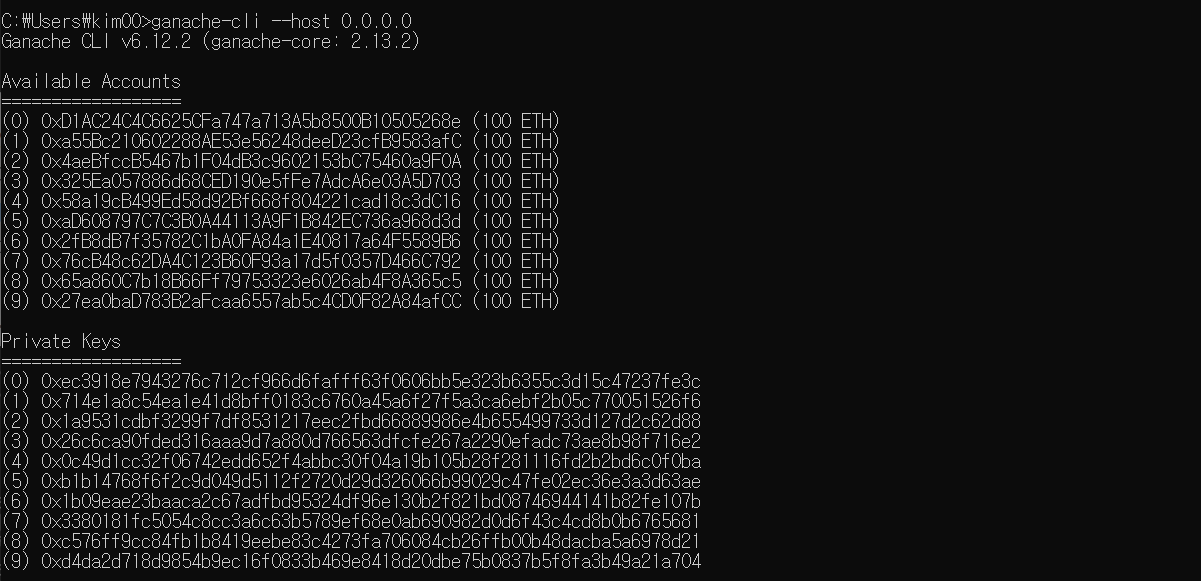
- 가나슈 실행
* 테스트에 프라이빗 키를 사용하며 가나슈가 설치된 사용자마다 프라이빗 키는 상이함
(4) MetaMask 설치
The crypto wallet for Defi, Web3 Dapps and NFTs | MetaMask
A safe crypto wallet for digital tokens & NFTs. Join the blockchain and DeFi world.
metamask.io
2 Metamask - Ganache 실행
(1) LocalHost8545 선택

(2) 계정 가져오기 > 0번 계정의 비밀키 입력 > 가져오기
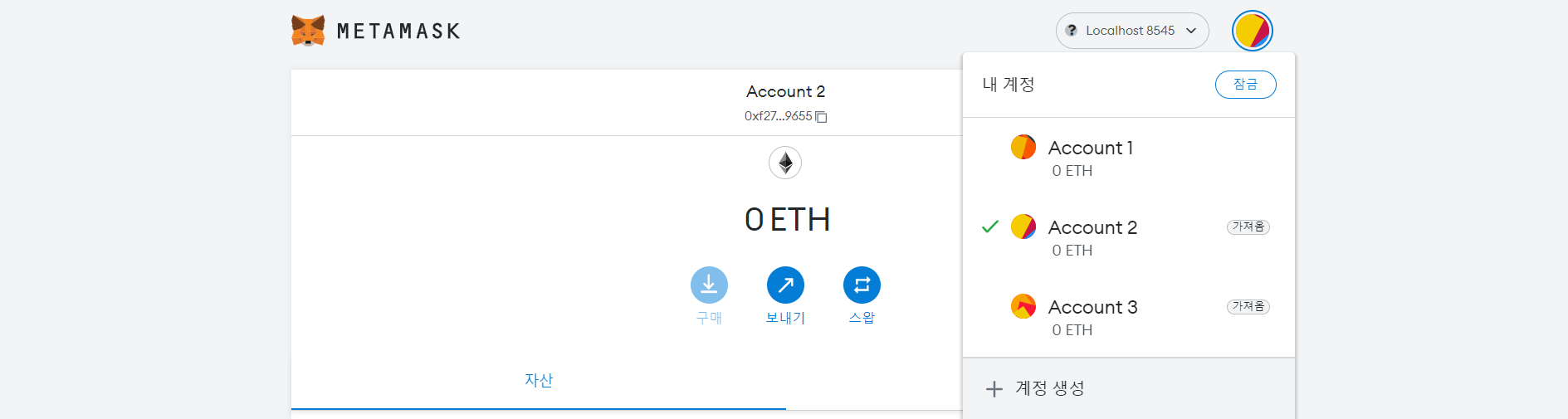
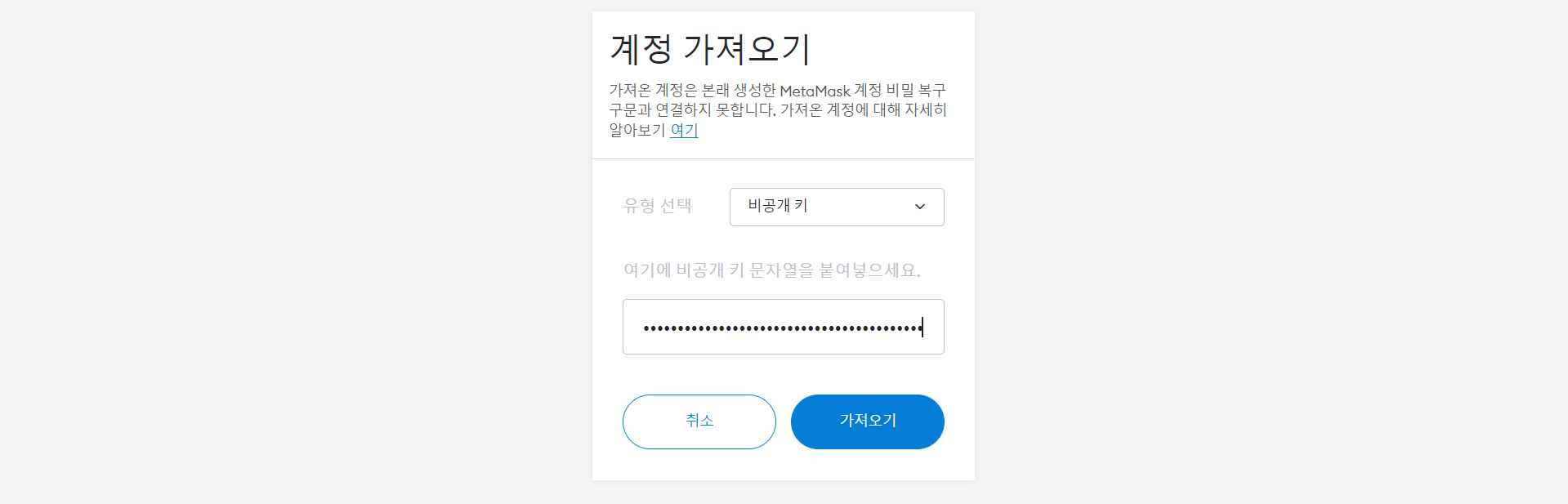
(3) 계좌 잔액 100ETH 확인

(3) 보내기 > 1번 계정의 공개키 입력 > 다음 > 승인
- 금액+가스만큼이 줄어든 것 확인 가능


(4) 가나슈에도 트랜잭션이 표시된 것 확인

(5) 수신한 1번 계정에서도 10ETH 늘어난 것 확인

3 MyEtherWallet 연결
- 블록체인과의 통신을 위해 사용, 스마트컨트랙트와 통신하는 기능을 가짐
MyEtherWallet.com: Your Key to Ethereum
Free, open-source, client-side Ethereum wallet. Enabling you to interact with the blockchain easily & securely.
www.myetherwallet.com
(1) Access My Wallet 선택

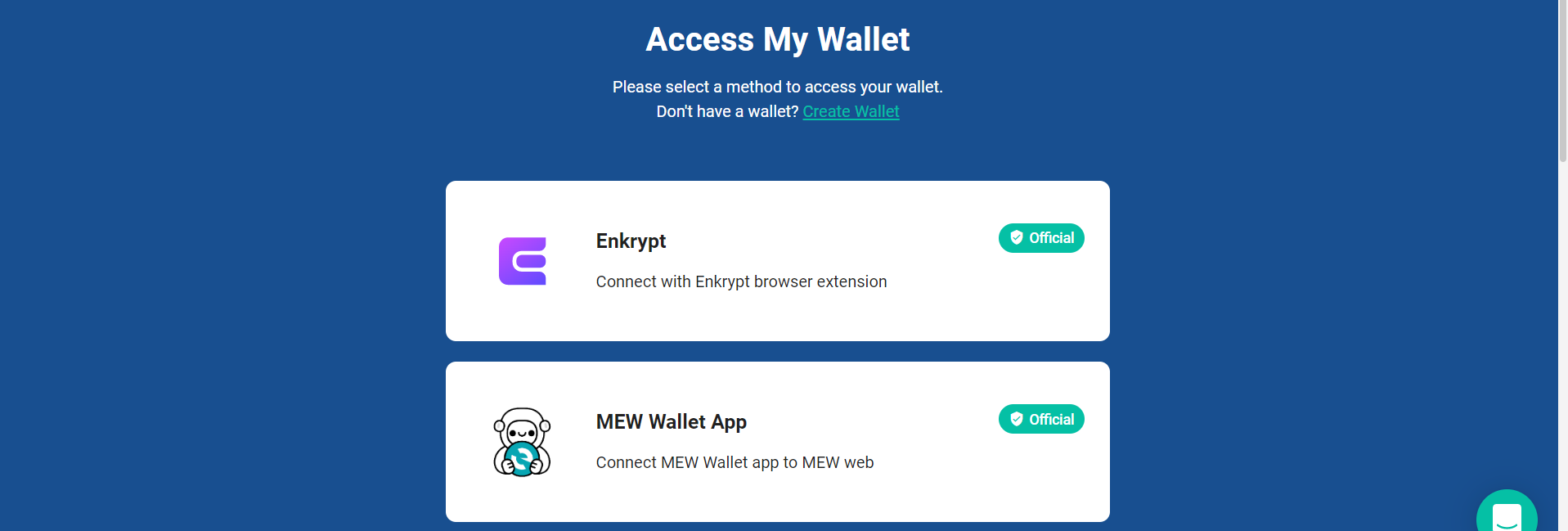
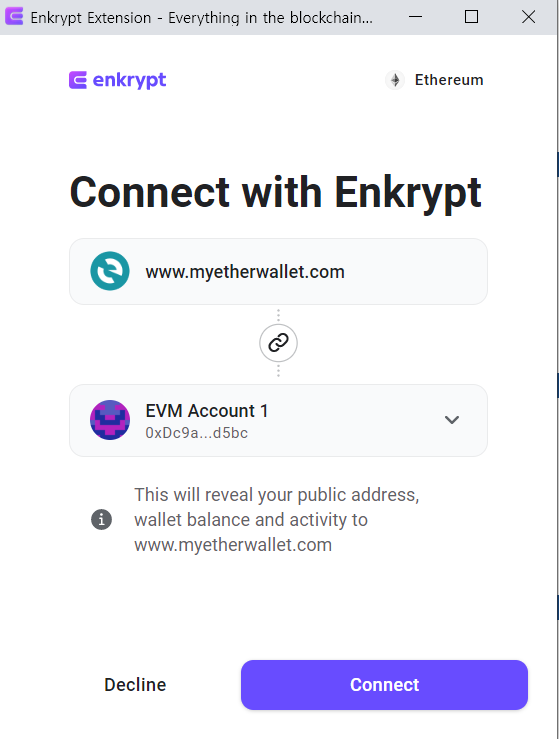
(2) Brower Extention 선택 > 연결할 계정 선택 > Connect
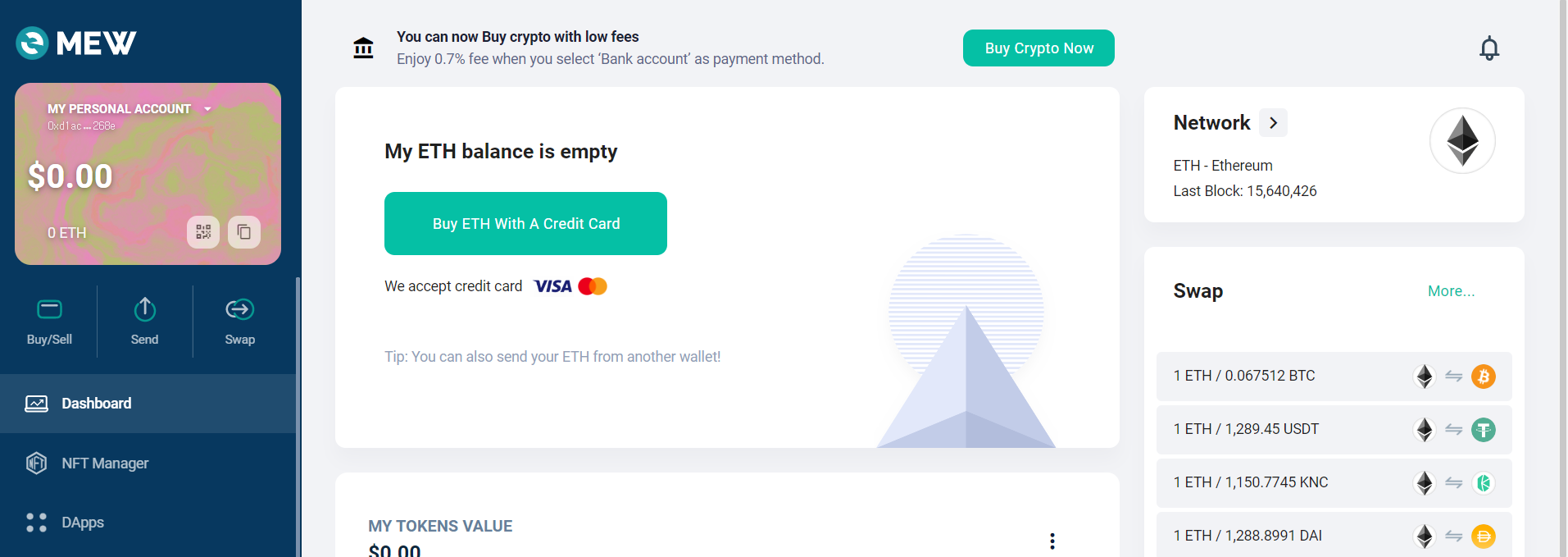
(3) 지갑이 정상적으로 등록된 것 확인
* 참고자료
https://kimsfamily.kr/327?category=903691